Understanding Snapchat Moons: The Ultimate Guide
Snapchat Moons serve as Do Not Disturb and Night Mode features. Explore different moon phases, their meanings, and how to manage notifications.
Ever wondered what the moon symbol on Snapchat really means? Whether you’ve spotted the crescent moon next to a friend’s name or seen it appear while using the app, you might have questions about this mysterious icon.
In this guide, we’ll break down the different moon phases on Snapchat, explain how they work, and show you how to use them to manage notifications, stay connected, and maintain boundaries on the app.
Key Takeaways
🌙 Snapchat Moons are primarily linked to Do Not Disturb (DND) and Night Mode, helping you control notifications and reduce distractions without removing friends.
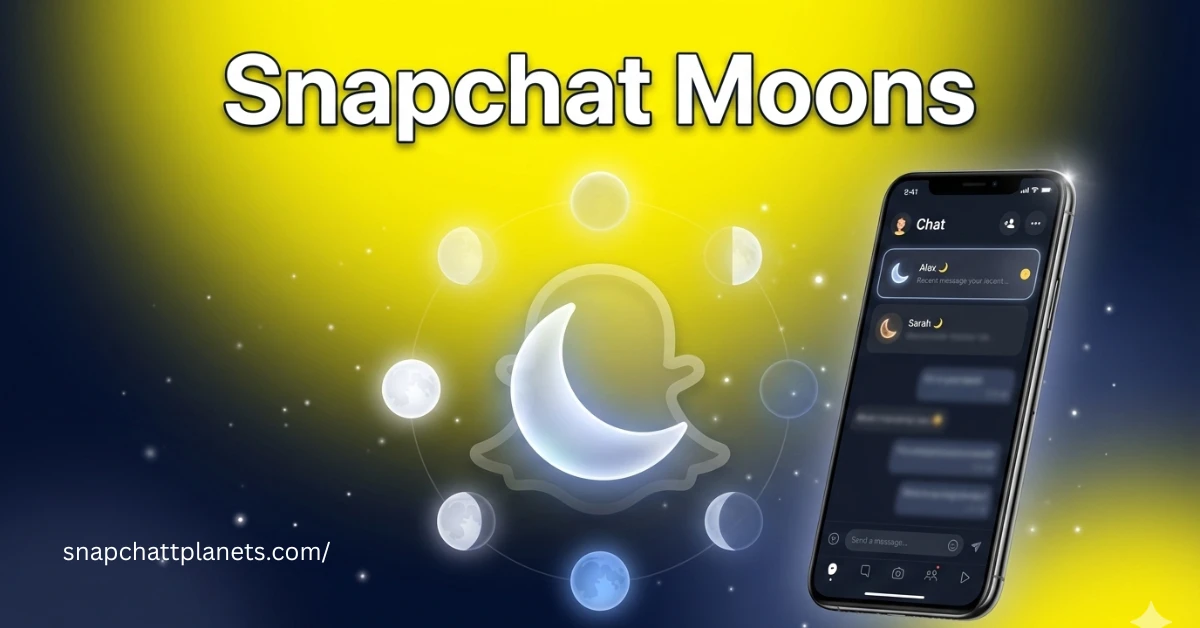
🔕 The Crescent Moon represents Do Not Disturb mode, meaning you won’t receive alerts from that contact, but you can still view and reply to messages anytime.
🌗 Different moon phases act as subtle social cues, like the Half Moon or Blue Moon encouraging reconnection with inactive friends.
🌌 Moons focus on privacy and communication control, unlike Snapchat Planets which rank friendships based on interaction.
⚙️ You can manually activate or disable Do Not Disturb, making Snapchat Moons a customizable tool for managing your social boundaries.
You would definitely be interested in reading this Snapchat Solar System guide.
What Are Snapchat Moons?
The moon icon on Snapchat serves as a unique symbol, representing different aspects of interaction on the app. While it is most commonly associated with the Do Not Disturb (DND) mode, the moon can also signify Night Mode for easier viewing in low light, and some users even associate it with astrological meanings.
Whether you’re muting notifications or adjusting your screen settings, the moon is your way to manage digital interactions with friends without cutting ties.
Different Moon Phases and Their Meanings
Activating and Using Snapchat Moons
To activate the Do Not Disturb (DND) mode and mute notifications for specific contacts or groups, follow these steps:
- Open the Snapchat app and navigate to your chat list.
- Find the contact or group you want to mute.
- Tap and hold the contact’s name until a menu appears.
- Select ‘Do Not Disturb’ from the options.
Once enabled, the moon icon will appear next to that contact, signaling that notifications are muted. You can still access and reply to their messages, but without receiving any new alerts until you toggle it off.
Snapchat Moons vs. Snapchat Planets
Managing Your Snapchat Experience with Moons
Snapchat Moons and Social Dynamics
Social Cues and Relationship Management
- Moon phases serve as gentle social cues to guide users in managing relationships.
- The Blue Moon icon encourages users to reconnect with long-lost friends, acting as a reminder to revive neglected relationships.
- The Half Moon indicates missed interactions, prompting users to reach out to friends they may have lost contact with.
- These cues create a balanced approach to social dynamics, allowing users to maintain active friendships without the pressure of constant communication.
The Privacy Aspect of Snapchat Moons
- Snapchat Moons provide control over notifications, allowing users to mute specific friends or groups without cutting ties completely.
- The Do Not Disturb (DND) mode offers a way to maintain connections while protecting your peace and reducing distractions.
- Unlike Snapchat Planets, which gamify relationships by ranking friends based on interaction, Moons are focused on controlling communication flow and maintaining boundaries without affecting the friendship status.
If you are not a Snapchat pro user, then we highly recommend going for the pro as its pro features will amaze you. We have also shared the ways to check if someone is using Snapchat Plus.
Best Practices for Using Snapchat Moons
When to Activate Do Not Disturb Mode
- Work: Activate DND mode when you need focus during work hours to avoid interruptions.
- Study: Use DND while studying to minimize distractions and stay productive.
- Personal Time: Turn on DND during personal or quiet time when you want to disconnect without losing touch with friends.
How to Use Night Mode Effectively
- Low-Light Settings: Activate Night Mode to reduce screen brightness for easier viewing in dark environments.
- Eye Comfort: Use Night Mode during nighttime to prevent eye strain and enhance visibility while using Snapchat in the dark.
Customizing Snapchat Notification Settings
- Fine-Tuning: Go to Snapchat settings and adjust notification preferences to ensure you only receive important alerts.
- Selective Alerts: Customize notifications for Snaps, Chats, Stories, and Group Messages, so you stay informed without being overwhelmed by irrelevant updates.
Common Misconceptions About Snapchat Moons
Clarifying Astrological Beliefs and Symbolism
- The moon symbol on Snapchat is for Do Not Disturb (DND) mode, not for astrology.
- Snapchat doesn’t associate the moon with emotions, moods, or spirituality—it’s purely a functional feature.
DND Mode vs. Sleep Mode
- The moon icon signifies DND mode, not sleeping habits or time zones.
- It simply means notifications are muted, not that the user is asleep.
FAQs
Final Thoughts
Snapchat Moons offer users a simple way to manage notifications and interactions, with different moon phases like Do Not Disturb, Night Mode, and social cues such as the Blue Moon to help maintain relationships. These features allow users to mute notifications while staying connected and avoid overwhelming interruptions.
Beyond notification management, Snapchat Moons also prioritize privacy and social boundaries. While the Planets system gamifies friend rankings, Moons focus on giving users control over their interactions, ensuring a more personalized and distraction-free experience.