🪐Snapchat Planets Order & Meanings (2026 Guide to Friend Solar System)
Snapchat Planets🌑visualize your friendships in a fun, gamified way. You appear to be the sun and your best friends revolve around you as planets. Let’s Explore its depths.
Have you ever come across the latest buzz: Snapchat Planets? It’s the new feature that’s taking the social media world by storm, particularly among Gen Z and Millennials. Imagine seeing your closest friends orbiting around you, just like planets in a solar system. sounds fun, right? That’s exactly what Snapchat Planets brings to your app experience!
Key Takeaways
🪐 Snapchat Planets (also called Snap Planets) are part of the Snapchat Solar System, a Snapchat+ feature that ranks your top 8 Best Friends based on interaction.
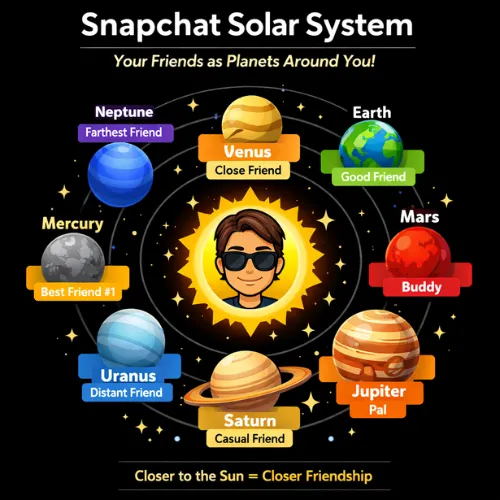
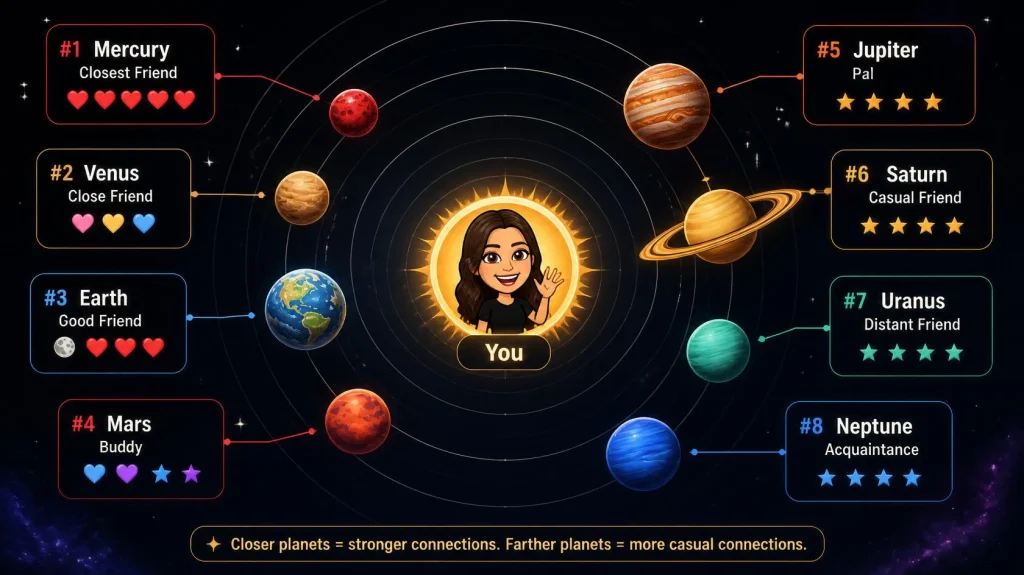
📊 The Snapchat planets in order are: Mercury, Venus, Earth, Mars, Jupiter, Saturn, Uranus, and Neptune, from closest (#1) to farthest (#8).
🔥 Planet rankings are based on real activity, including Snaps sent and received, chats, Snapstreaks, and story interactions.
🔄 Snapchat planet meanings reflect friendship strength, with Mercury representing your #1 Best Friend and Neptune showing the lowest interaction within your top 8.
💎 Snapchat Planets are exclusive to Snapchat+, and the order updates dynamically as your engagement patterns change.
You can play with the tool below and get an estimated idea that with how much interactions where will you lie in a friend’s planet.
Here are some important topics that you can directly explore on this page. Click on one of them and jump to that topic.
We have also added the audio article, so if you don’t want to read the full article, you can easily listen to it.
What Are Snapchat Planets?
Snapchat’s Friend Solar System (also known as Snapchat Planets) is a dynamic, visual feature available exclusively to Snapchat Plus subscribers. It arranges your closest friends in a planetary model, with each planet representing a different level of friendship. In this system, you appear as the Sun, while your top friends are shown as planets orbiting around you.
The closer the planet is to the Sun (you), the more frequent the interaction with that friend, just like in the real solar system. Planets like Mercury, Venus, and Earth represent different friendship levels, with rankings updating as your activity changes. The closer a planet is to the Sun, the stronger your interaction level with that friend, making it an easy and fun way to understand your Snapchat relationships at a glance.
In this guide, you’ll discover everything you need to know about Snap Planets: from the meaning of each planet, the Snapchat planet order, and how the ranking system works. Whether you’re looking to understand how the planets are ordered or how to become someone’s Mercury (the closest friend), we’ve got you covered!
Let’s get you started:
How the Snapchat Friend Solar System Works
Snapchat ranks your friends based on how frequently and meaningfully you interact with them. The more you engage with a friend, the closer they move to the Sun(you), representing a stronger bond. Here’s how it works:
Interaction Signals Snapchat Tracks:
Snaps Sent/Received: The primary factor for ranking. Frequent snapping, whether it’s photos, videos, or messages, increases a friend’s ranking in your solar system.
Chats: Consistent messaging also impacts rankings. Longer, more frequent conversations push a friend higher in your list.
Interactions: Viewing and replying to someone’s stories can affect their placement. The more you engage with their content, the closer they orbit around your Sun.
Snapchat Planets in Order (Snapchat best friends list)
Here is the list of all Snapchat planets in order.

Mercury

Venus

Earth

Mars

Jupiter

Saturn

Uranus

Neptune
Snapchat uses its planetary system to rank your closest friends based on the level of interaction. The planets closest to the Sun represent your top friends, while those farther away indicate more distant connections. Let’s break down what each planet means and how they are ranked.
Snapchat Planet Meanings
Let’s see what each planet is about and how much struggle is required to be closer to the sun in a friend’s solar system. We will see Snapchat planet meanings one by one in detail.
Mercury
Visual:
Red planet with hearts around it.
Meanings:
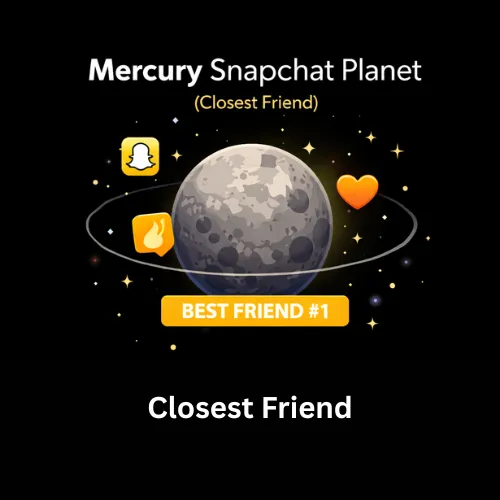
Mercury is the #1 best friend in your Snapchat solar system. This friend is the one with whom you interact the most. You likely exchange very frequent daily snaps, chat frequently, and maintain a solid Snapstreak. This planet is at the center of your Snapchat universe, reflecting the deepest bond in your digital social life.
Example: If you’re sending daily snaps and having frequent chats with a friend, they’ll be your Mercury
Venus
Visual:
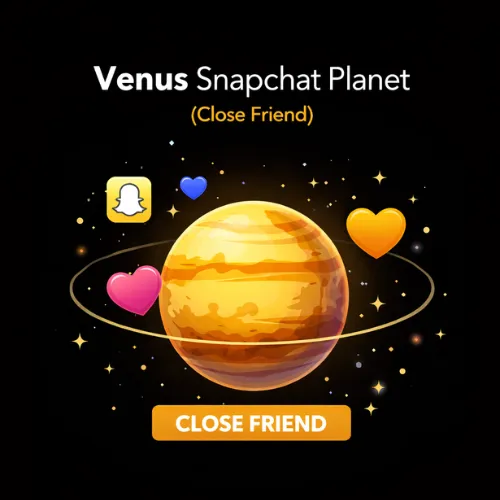
Light brown planet surrounded by pink, blue, and yellow hearts.
Meanings:
As your #2 best friend, Venus represents a very close friendship, just one step behind Mercury. While the interaction frequency might not be as high as with Mercury, you still share regular snaps and chats. This friend is a major part of your daily interactions, but their planet position is just slightly behind your top friend.
Example: If you interact several times a week but don’t send hundreds of snaps daily, that person might be your Venus.
Difference between Mercury and Venus:
While both planets represent close friendships, Mercury signifies the closest bond, often marked by daily interactions. Venus, while still a top-tier friend, may not have as many daily or intense interactions as your Mercury friend.
Earth
Visual:
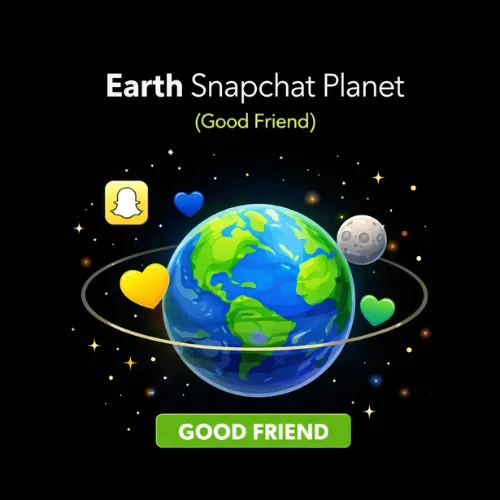
Blue-green planet surrounded by hearts and a moon.
Meanings:
Earth represents your #3 best friend. While you may not chat every day, this friend remains an integral part of your Snapchat planet circle, with frequent but less intense communication. They may be someone with whom you share stories or occasional chats, but their interaction is still steady.
Example: If you have a strong connection but don’t engage every day, your friend likely falls into the Earth category.
Mars
Visual:
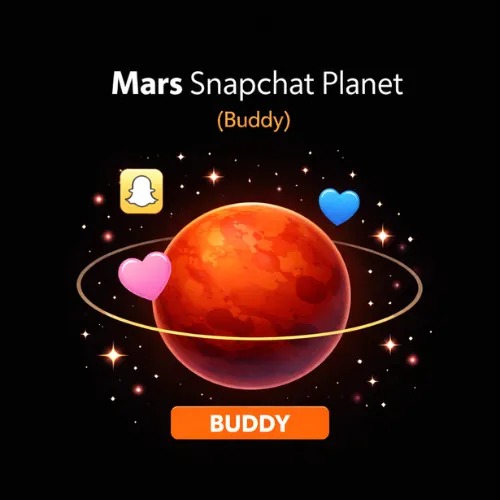
Red planet with pink and blue hearts, stars around it.
Meanings:
The #4 best friend, Mars, symbolizes a more distant connection but still maintains a steady friendship. You likely engage in fun, meaningful conversations from time to time, but your interactions are less frequent than with the top three.
Example: If you chat a few times a week but don’t reach daily snap levels, that friend is likely your Mars.
Mars: Interaction Drop-off Explained
While you may have fun conversations with this friend, the interaction frequency drops significantly compared to the top three planets. You may chat a couple of times a week, but not as often as your top-tier friends.
Jupiter
Visual:
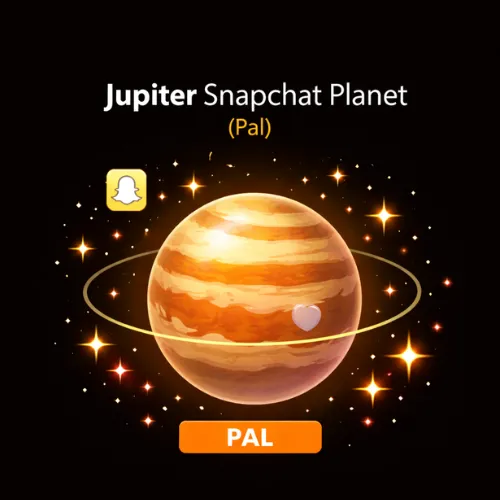
Orange planet surrounded by multiple stars.
Meanings:
As the #5 friend, Jupiter signifies a moderate friendship. You interact with them occasionally, but the snap frequency is not as high. Your connection might be important, but it doesn’t revolve around Snapchat as much as the others.
Example: If you communicate only once a week or every other week, this person would be placed on Jupiter in the Snapchat solar system.
Saturn
Visual:
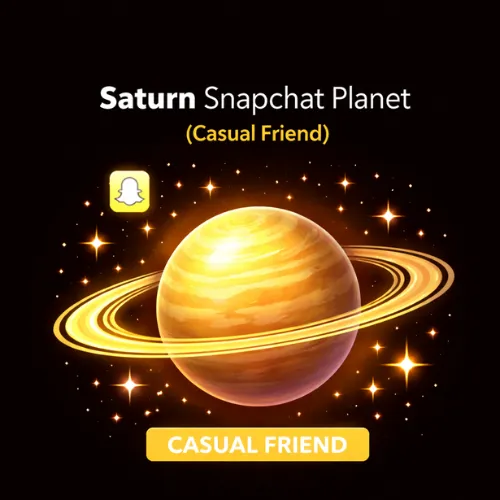
Golden planet with rings, surrounded by stars.
Meanings:
Saturn represents your #6 friend in the Snapchat solar system. While you may not interact often on Snapchat, you’ve had a long-standing friendship or a unique bond. This may simply reflect fewer recent Snapchat interactions, not necessarily anything having changed in the friendship itself..
Example: If you occasionally interact through Snapchat but mainly connect through other platforms, that’s likely your Saturn.
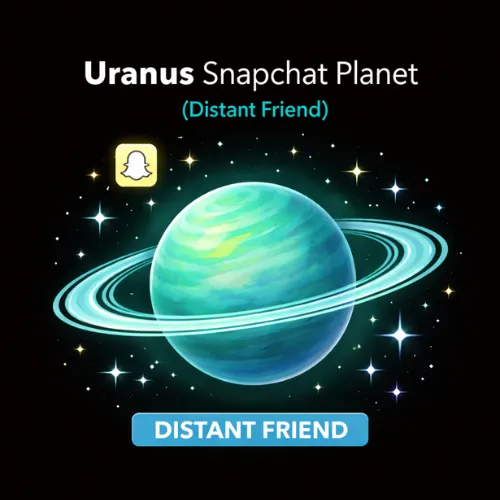
Uranus
Visual:
Green planet with stars.
Meanings:
The #7 best friend, Uranus, is someone you communicate with only occasionally. This friend is still part of your Snapchat circle but rarely reaches out or engages in snaps and chats. The interactions are inconsistent but still present.
Example: A Uranus friend might be someone you react to a story once in a while, but your direct communication is limited.
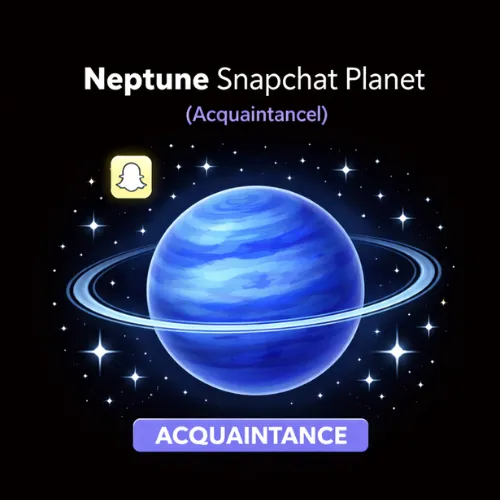
Neptune
Visual:
Blue planet with stars.
Meanings:
Neptune is the #8 and final planet in your Snapchat solar system. As the farthest planet from the Sun, Neptune represents a distant connection with rare interactions. Although the communication is minimal, this person is still considered part of your top eight, but you may have lost touch or only talk on special occasions.
Example: A Neptune friend might be someone you rarely send snaps to, and you probably don’t communicate often, but they’re still part of your friend list.
Is Neptune still a best friend?
Although they’re the farthest from the Sun, Neptune still holds the title of best friend. You may not interact as often, but they still occupy a place in your top eight. To maintain this position, however, you’ll need to revive the friendship with more engagement.
Snap Planets Order Table
Here we present the planets order or the Snapchat solar system in a table form for ease.
| Planet | Rank | Meaning | Interaction Level |
| Mercury | 1 | #1 Best Friend | High, frequent interaction |
| Venus | 2 | #2 Best Friend | Very frequent, but slightly less than Mercury |
| Earth | 3 | #3 Best Friend | Regular interaction, solid bond |
| Mars | 4 | #4 Best Friend | Less frequent, occasional chats |
| Jupiter | 5 | #5 Best Friend | Casual interactions, lower frequency |
| Saturn | 6 | #6 Best Friend | Infrequent interactions |
| Uranus | 7 | #7 Best Friend | Rare interactions |
| Neptune | 8 | #8 Best Friend | Minimal interaction, distant connection |
Snapchat Best Friends List: Everything You Need to Know
The Snapchat Best Friends List is a key feature for Snapchat users, showing the people you interact with the most. It ranks your friends based on how frequently you send snaps, messages, and maintain Snapstreaks. Unlike the Snapchat Planets system, which offers a visual and gamified ranking, the Best Friends List gives a straightforward look at your closest connections.
Your Best Friends are displayed at the top of your chat screen, and Snapchat uses different emojis like 😊, 💛, ❤️, and 🔥 to signify your level of interaction with them. While you can’t directly add or remove people, Snapchat’s algorithm automatically adjusts the list based on your activity.
With Snapchat Plus, you can view up to 20 Best Friends and access customized display features, making it easier to keep track of your top connections.
Why Snapchat Created the Planets Order?
Here are some of the obvious reasons behind creating the planets snapchat:
Why Users Care About Rankings:
Users care because the rankings directly represent the strength of their friendships. Being someone’s Mercury or Venus feels like a status symbol, motivating users to keep connecting
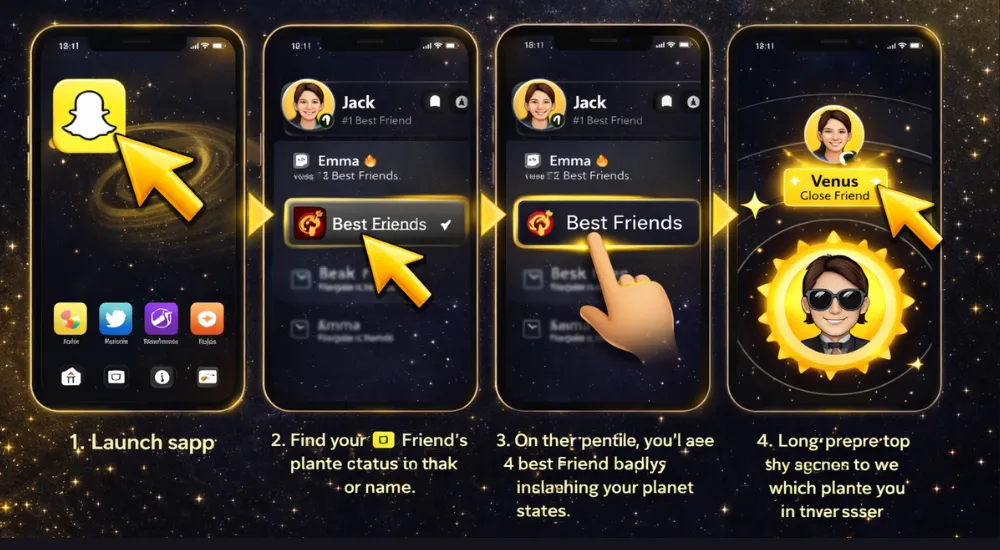
How to Check Your Snapchat Planet in a Friend’s Solar System
As we can see, the friends in our own Snapchat Solar System, users often feel curious and ask about checking their own status in the friends’ solar system.
Here are some easy steps to check your planetary status in friends’ Snapchat solar system:
Common Mistakes:
Here might be some reasons behind it if you are not seeing your friend’s solar system.
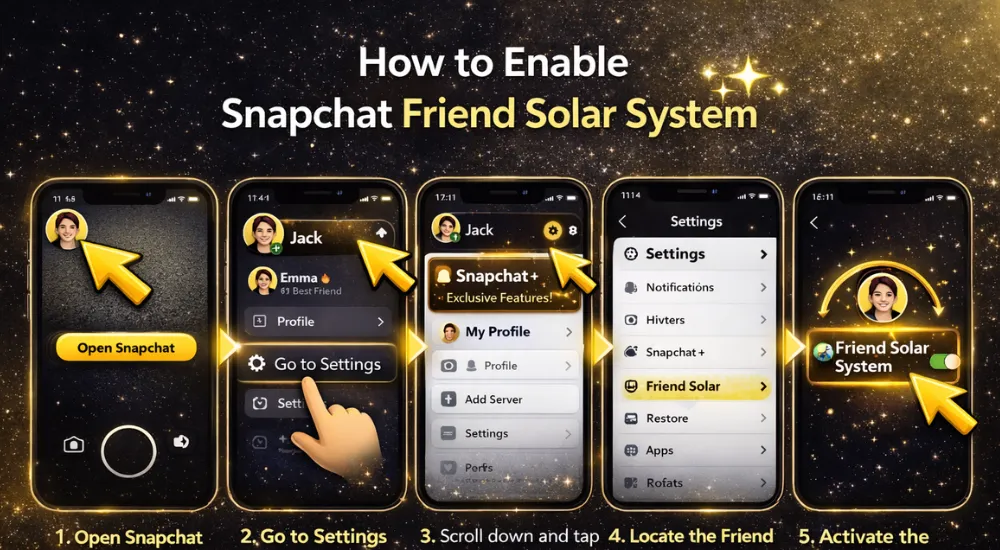
How to Enable Snapchat Friend Solar System
Follow these simple steps to enable the Snapchat solar system and see the friends revolving around you.
Requirements:
To access the Friend Solar System, you must have a Snapchat Plus subscription. This feature is exclusive to premium users.
Steps to Turn On Snapchat Solar System
How to Disable Snapchat Friend Solar System
Follow these simple steps to enable the Snapchat solar system and see the friends revolving around you.
Can You Turn It Off?
Yes, you can turn off the Snapchat Solar System feature at any time if you no longer want to see or participate in the Friend Solar System.
What Happens After Disabling?
When you disable the Friend Solar System, your planet rankings will no longer be visible to you or your friends. It removes the gamified view of your friendships from the app.
Why would someone even want to Turn It Off?
Disabling this feature may address any privacy concerns, especially if you don’t want friends to see your planet rankings or if you’re uncomfortable with the competitive aspect of seeing your position in someone else’s solar system. In this case, it is preferred to disable it.
This isn’t just a hypothetical concern, Snapchat actually made the Friend Solar System opt-in after users, especially teens, reported feeling anxious seeing their ranking or position drop with friends. The disable option exists because of that real feedback.
Steps to Disable Planets on Snapchat:
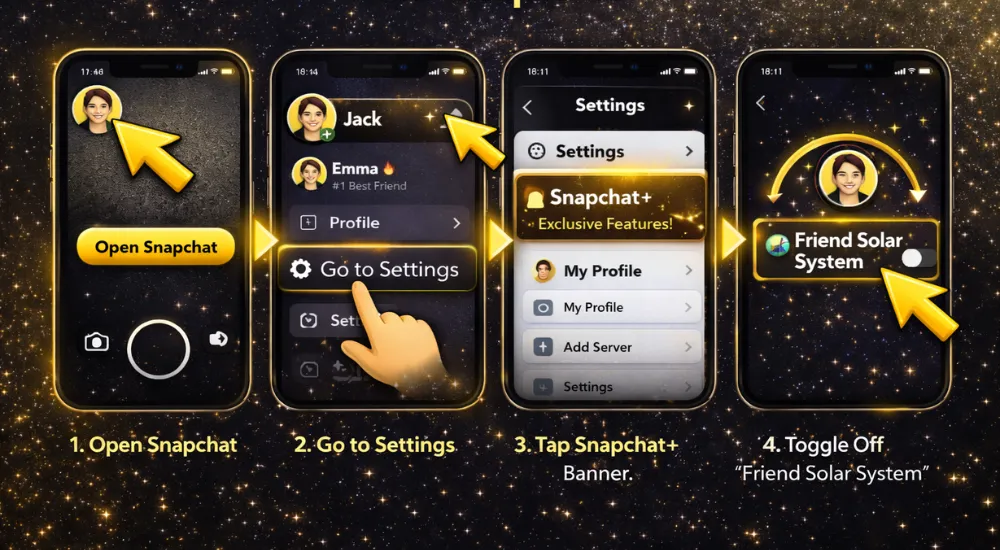
Snapchat Plus Explained (Everything You Need to Know)
What Is Snapchat Plus?
Snapchat Plus is a premium subscription service offered by Snapchat, providing access to exclusive features and enhancements that improve the user experience. With Snapchat Plus, users unlock additional perks that are not available in the free version of the app, making it ideal for those who want more customization and features like the Friend Solar System and custom app icons.
Snapchat Plus Subscription Price (2026)
Here are the monthly prices of Snapchat Plus for some regions.

United States

United Kingdom

India
Regional Variation Note:
Prices for Snapchat Plus may differ slightly depending on your country. For example, in the United Kingdom, it’s priced at £3.99/month, and in India, it’s ₹49. Keep in mind, regional pricing can change and fluctuate.
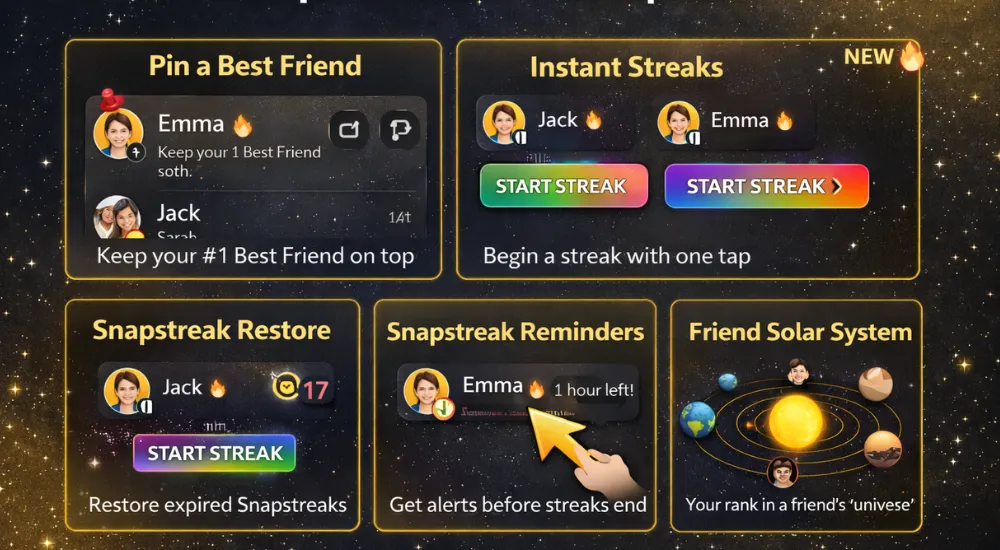
Snapchat Plus Features & Perks
We mainly subscribed to the premium for Snapchat Solar System, but here are some more features we experienced in addition.
Friend Solar System:
With Snapchat Plus, you gain access to the Friend Solar System (the Snapchat Planets feature), where your closest friends are ranked in a visual solar system around you, based on your interactions.
Custom App Icons:
Customize your Snapchat app icon on your device, adding a personal touch to the app experience.
Story Rewatch Count:
See who’s rewatched your stories, giving you more insight into your audience and interactions.
Priority Replies (if available):
Snapchat Plus also offers priority replies to stories, meaning your comments are highlighted to others, increasing visibility and engagement with your posts.
Is Snapchat Plus Worth It Just for Planets?
Pros
Cons
According to our recent experience, overall, Snapchat Plus is a solid choice if you use it regularly and want to enhance your experience, but if you are not willing to pay for some additional features, it might not be worth it. It is all up to you.
You might also be interested in checking what are Snapchat Moons.
Can You Enjoy Snapchat Plus Planets for Free?
In simple words, the answer is No. Snap Planets is a Snapchat Plus feature, and you need a Snapchat Plus subscription to access it.
Some other ways to access Snap Planets for free
It is a pro feature, but here are some of these tactics users also use to access Snapchat planets. But keep in mind that these are not for the long term.
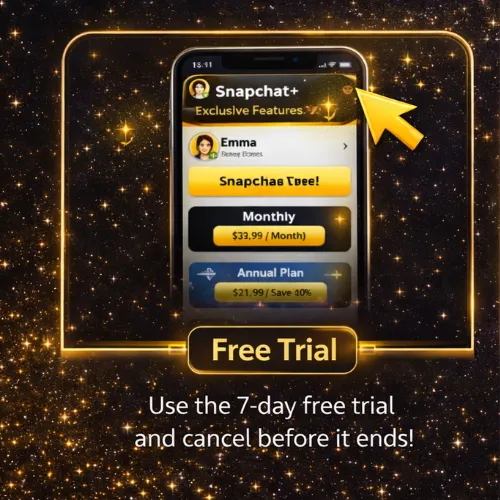
Free Trial:
Snapchat offers a 7-day free trial for Snapchat Plus. You can use this trial to see the Friend Solar System and other features for free, but it will require cancellation before the trial ends to avoid being charged.
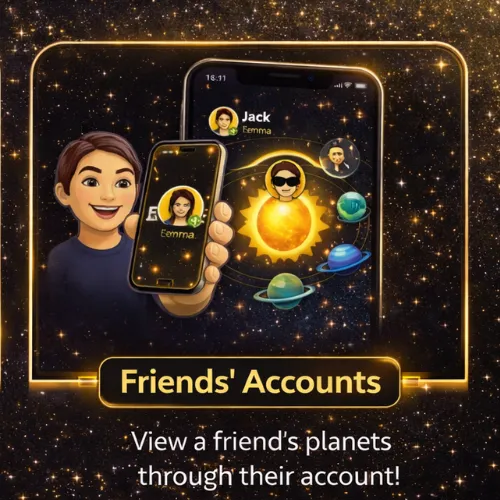
Friends’ Accounts:
If someone else has Snapchat Plus, they can show you their planet rankings, but you cannot directly access the feature without the subscription.
Myths vs Reality:
Tips to Improve Your Snapchat Planet Ranking
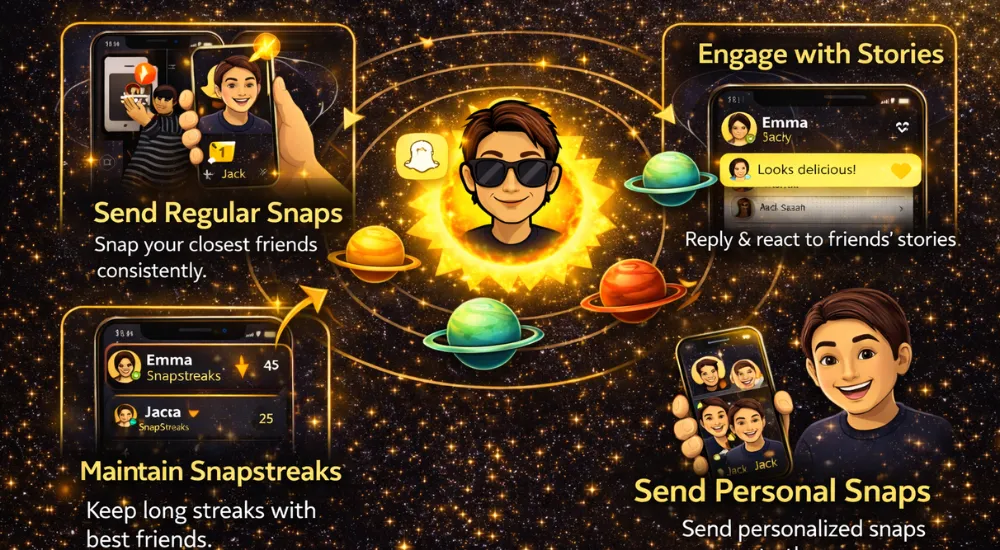
Snap Planets works like a gamified ranking system, so improving your position in a friend’s solar system depends on how consistently and meaningfully you interact. Based on real usage patterns, the following practical tips can help you move closer to planets like Venus or Mercury over time.
Practical, Realistic Tips:
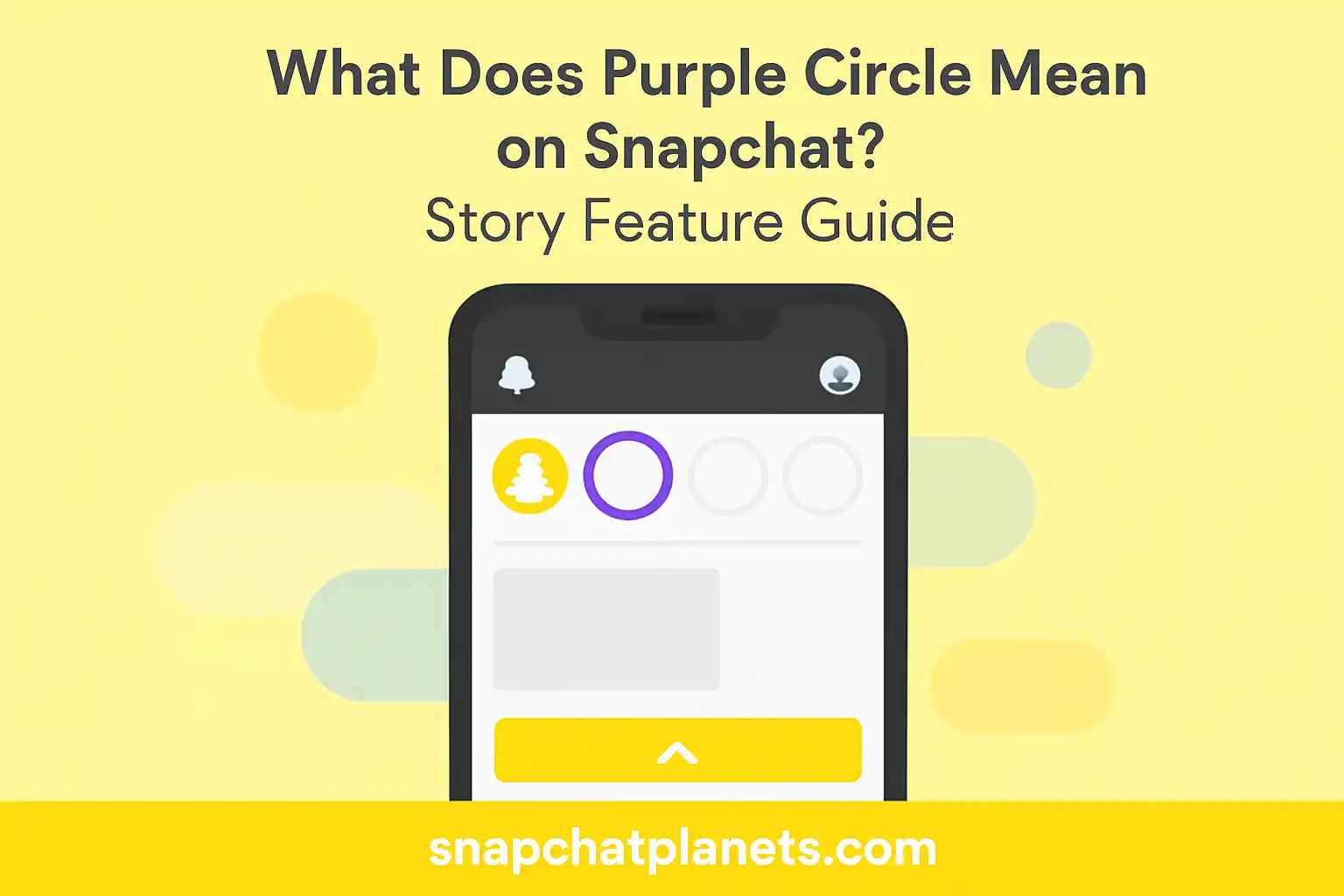
there are a lot more things to know about snapchat envirnment like the colors used in the app like Purple circle. You might also be interested in knowing about all these.
Best Practices
What Doesn’t Matter Anymore:
Pros and Cons of Snapchat Planets
Pros
Cons
Is the Snap Solar System Safe for Younger Users?
Parental Concern Angle:
- Snapchat Planets reaised concerns for parents, as the ranking system put pressure on younger users to compete for higher positions in their friends’ solar systems.
- This can create unhealthy social dynamics, especially for teens already dealing with peer pressure.
Parental Concern Angle:
- Younger users might experience anxiety or feelings of exclusion if they see their planet ranking drop, especially if they are placed on Neptune (the farthest planet).
- The system could encourage users to overly seek validation from their friends, leading to emotional stress.
Snapchat’s Safeguards:
- Snapchat allows users to turn off the Friend Solar System feature if it becomes uncomfortable.
- While Snapchat promotes the feature as a fun and engaging way to enhance interaction, parents should monitor their child’s usage to ensure it remains positive and healthy.
Snapchat also uses symbols to represent different things.
Visualizing the Snapchat Solar System
FAQs
Final Thoughts
In conclusion, Snapchat Planets adds a fun, dynamic layer to how we interact on the app. It turns friendships into a personalized Snap solar system, making social connections more engaging and interactive. Whether you’re aiming to climb higher in a friend’s solar system or simply enjoying the gamified experience, the system encourages more meaningful interactions on Snapchat, where your close friends are revolving around you (the sun).
The main takeaway is simple: Snapchat Planets isn’t just about rankings, it’s about strengthening your friendships. The more you engage, the closer you move to someone’s Sun, reinforcing the idea that active, consistent communication builds stronger bonds. So, don’t just aim for the top planet, focus on the connections that matter most to you, and enjoy the experience along the way!