What Does the Star Mean on Snapchat? Decoding Snapchat’s Star Icon
What does the star mean on Snapchat? If you’ve noticed a little star icon popping up beside usernames, stories, or friend lists, you’re not alone. Snapchat is filled with symbols and badges, and the star is one of the most frequently asked about. This guide breaks down everything you need to know about the Snapchat star–what it means, where you’ll find it, and why it matters in your daily Snapping. We’ll also touch on star variations, ways to interact with them, some common misconceptions, and quick troubleshooting for missing stars.
What Does the Star Mean on Snapchat?
The star icon on Snapchat is most commonly associated with two things: indicating a snap has been replayed by someone, or highlighting special activity or status, like verified accounts and popular content. When you see a star beside a friend’s name or a particular story, it’s Snapchat’s way of letting you know something noteworthy has happened involving that snapper or piece of content. Unlike other emojis or badges, the star is directly connected to user actions or Snapchat’s official recognition.
For example, if you see a gold star appear next to a friend’s name in your chat list, this commonly means that someone has replayed that friend’s snap in the last 24 hours. On the flipside, a filled star might show up near official stories, which designates the account as verified or “official.” These star indicators help users quickly identify trending, popular, or authentic content among all the action on Snapchat.
Snapchat has made subtle changes to star meanings and appearances over time. While the gold star remains linked to replays, you’ll now also find star variations tied to creators and celebrities. If you’re ever confused about a Snapchat icon, check out the full list of Snapchat symbols and their meanings on Snapchat Planets for the latest icon definitions.
Snapshot of Snapchat Icons: Where the Star Appears
The star icon isn’t limited to just one place on Snapchat. You might spot it in your friend list, on active chat conversations, next to stories, or even on certain creator profiles. Each appearance has its own specific meaning, so context is key to understanding what the star is telling you. Knowing where the star shows up is helpful for mastering your Snapchat experience.
For instance, the gold star can pop up next to a friend’s name in the chat list (indicating a replayed snap), while a star symbol may feature on official stories or discover channels. You might also see a star beside verified creators or influencers, signaling their profile is authentic. Recognizing star placement helps distinguish between new activity and celebrity verification, especially if you’re active in viewing lots of content daily.
Confused between multiple Snapchat symbols? Here’s a table to help you compare the star icon to other frequently-seen emojis and badges:
| Icon | Where It Appears | Meaning |
|---|---|---|
| ⭐ (Gold Star) | Friend list, Chat | Snap replayed |
| 🌟 (Filled Star) | Official/Verified Account, Discover | Verified user/content |
| 😊 (Smiling Face) | Friend list, Chat | Best friend emoji |
| 🔥 (Fire/Flame) | Chat | Snapstreak |
The Different Types of Stars You Might See
Gold Star vs. Other Star Colors/Symbols
Snapchat mainly features the gold star (⭐), which indicates a snap has been replayed by someone in the past 24 hours. There’s also the filled yellow star (🌟), seen on verified creator accounts and official stories. You might occasionally spot other star-like symbols in limited-time features or special events, but these are less common than the gold and filled stars.
Suppose you see a gold star next to Alex’s name in your chat; this means someone (maybe even you) replayed Alex’s snap. Meanwhile, if you’re browsing the Discover page and notice a filled star on a username, it shows that account is verified. Watching for which star appears, and where, lets you better understand Snapchat’s messaging and social cues.
Visual icons like stars help make Snapchat’s app playful while providing fast info. When in doubt about star meanings, check out the updated icon guide at Snapchat Symbols. Star colors aren’t customizable, so their meaning remains consistent for all users.
Visual Examples of the Star Icon on Snapchat
You’ll spot the Snapchat star as either a flat, gold outline or a fully-filled golden shape. In your Friends list or Chats, the gold star will appear directly next to a username. Browse Discover or your Subscribed tab and you may see a filled star badge floating beside verified creators’ display names.
For a real-world frame of reference: you open your Chat tab, see Liz with the ⭐ beside her name, and know instantly that her snap has been replayed. Alternatively, scroll through popular story feeds, and famous celebrities may have the yellow-filled star 🌟 attached, setting their content apart from regular users.
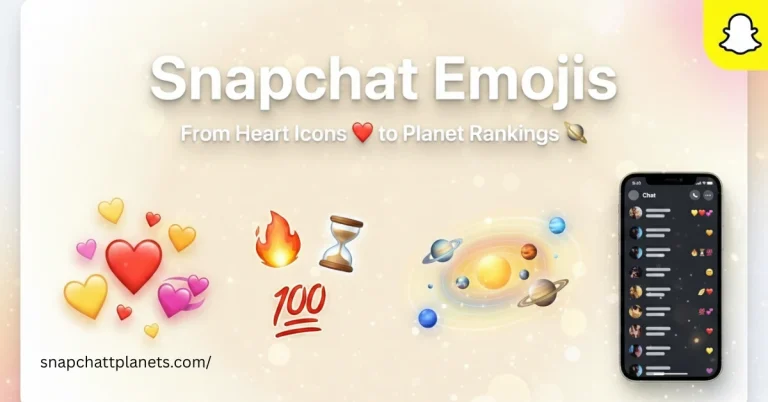
Snapchat’s visual approach with icons makes the platform easy to use, especially if you’re not up to date on every badge’s meaning. For a definitive overview of all the visual signs and what they do, check Snapchat Emojis for detailed image examples.
Why Did I Get a Star on Snapchat?
Most Snapchat users notice a star icon when either they or one of their friends has had a snap replayed. Getting a star is essentially Snapchat saying “This was interesting enough to revisit!” The most common reason for receiving a gold star is whenever a recipient (or someone else in the group) replays a snap you sent within 24 hours of its arrival.
For example, if you send a snap to your group chat, and someone finds it funny or important and replays it, you’ll both see the star beside your name for that period. Sometimes, you might also see a star attached to content or user profiles, especially if they’re verified or have content trending on the Discover page.
Remember: stars refresh and disappear according to replay timing, so if you suddenly lose the star after 24 hours, that’s perfectly normal. If you want to keep track of what all of your Snapchat actions mean, you might enjoy reading through Snapchatt Planets for the ultimate emoji and symbol guides.
What Does the Star Mean on Snapchat Stories and Chats?
On Snapchat stories, the star icon and its variants can mean different things. For user-generated stories, a gold star may appear if someone replays your story. For public and official stories, the filled star symbolizes Snapchat’s verified status—often granted to influencers or notable creators. In chats, a gold star usually highlights activity around your snaps, such as a replay.
Imagine you post a hilarious story, and it really grabs attention. If a friend re-watches it, the gold star shows up as a visual kudos on your name in their chat list. When looking at the Discover feed, seeing a filled or “verified” star alongside a story quickly tells you that the content is coming from an authentic, recognized creator—like a celebrity or brand.
Stars don’t impact how you watch or share stories, but they can help you spot high-quality or trustworthy content at a glance. Want a deeper dive into the meaning behind story icons? Snapchatt Planets’ emoji explainer can walk you through each symbol’s meaning in chat and stories.
Interpreting the Star in Friend Activity
Stars also add context to friend interactions. If you notice a star next to someone in your chats, it typically points to a shared moment that’s been replayed or recognized as important by the recipient. The more interactive and memorable your snaps, the more often you might spot the gold star in action.
For practical use: say you’re swapping streaks with your closest friend, and one of you sends a snap that deserves a second look. Seeing the star reassures you that someone valued that specific snap or story enough to replay it. With verified stars on stories, it’s Snapchat’s way of confirming the account’s real status—not just “famous,” but officially recognized.
When tracking your social activity on Snapchat, stars serve as subtle shoutouts—signaling either popularity or trustworthiness. They can also prompt you to revisit conversations or content that generated extra attention. For other friend activity icons and social rankings, explore the symbols listings at Snapchat Symbols.
How to Use or Interact With the Star Feature on Snapchat
You can’t send or place a star icon intentionally—it appears automatically based on Snapchat’s rules. The most common way to “trigger” the gold star is to replay someone’s snap. The filled star, indicating a verified creator or content, is added only by Snapchat to select profiles. There aren’t secret settings to force a star to appear; it’s all built around in-app actions or Snapchat’s official recognition process.
Say you want to see the star next to a friend’s snap. Simply open their snap, then use the replay feature (careful—users usually get just one replay per snap per day). If someone else replays your snap in a group chat, you may also see the star crop up in your list. As for verified stars, if you build a substantial following or official presence, Snapchat may review and grant you the filled star for your account profile or stories.
If you’re hoping to “remove” a star, there’s no manual control—the star disappears after its time window (usually 24 hours). You can’t prevent the replay star from appearing, as it’s automated by Snapchat’s servers. Privacy-wise, know that most star indicators are not visible to everyone, just those affected by the snap or story. If you’re hunting for ways to customize your Snapchat experience, browse other features and tips at Snapchatt Planets.
Common Misconceptions About the Snapchat Star
Differences between the Star and Snapchat Emojis
It’s important not to confuse the star icon with standard Snapchat emojis, like hearts, flames, or smileys. Emojis represent relationship milestones or friend rankings (best friends, mutuals, streaks), while stars signal specific snap activity or verified account status. If you’re seeing a star, it doesn’t mean you’ve reached an emoji milestone—it’s a different kind of recognition in the app.
In real life, you might see a smiling face emoji next to someone you snap frequently, and then the gold star pops up after a replay event. While both are visual markers, only stars represent activities like replays or verification—they don’t change based on relationship status or how often you snap each other. For more info on what all the Snapchat emojis mean, visit Snapchat Emojis.
If you’re unsure whether an icon is an emoji or a star, just tap and hold a friend’s name or search for their profile card. Snapchat often gives a quick description of the symbol in-app for clarity. The star remains one of the simplest—but most misunderstood—icons in Snapchat’s symbol system.
- Myth: The star icon makes someone your best friend. Fact: Only best friend emojis reflect top Snap rankings.
- Myth: You can add or remove the star manually. Fact: Star badges are automatic based on activity or Snapchat decisions.
- Myth: Star colors change often. Fact: Gold and filled yellow star icons are standard; any variation is rare.
- Myth: Stars show everyone who’s viewed your snap. Fact: Stars only indicate a replay or verification, not general viewership.
Troubleshooting: What If You Don’t See the Star on Snapchat?
Sometimes, even after a snap is replayed, users don’t see the star icon show up. Several factors can cause this, like outdated Snapchat apps, device glitches, or temporary server hitches. It’s also possible the replay occurred outside Snapchat’s 24-hour window, or the feature hasn’t yet been rolled out to all users in your region or device type.
A real-life example: if you’re using an older Android phone or you haven’t updated Snapchat lately, you may miss some new symbols or badges. Another reason could be logging out and back in or switching between accounts, which can temporarily hide certain icons or activity markers. Uploads and replays performed in poor internet conditions might not always reflect changes instantly in your app.
Quick tip: Always keep your app updated for the latest icons and features. If stars still aren’t appearing after replays or with official accounts, check Snapchat’s official support for any ongoing outages or updates. For more hacks and symbol explanations, bookmark Snapchat Symbols on Snapchatt Planets.
Frequently Asked Questions
Does the star mean someone is my best friend?
No, the star does not indicate best friend status. Snapchat uses specific emojis like hearts and smileys for best friend rankings. The star only appears for snap replays or verified content.
Can I add a star to my friends on Snapchat?
You can’t manually add a star to any friend. Stars show up automatically based on snap activity (like replays) or are assigned by Snapchat for official verified accounts.
Does the star icon mean someone has replayed my snap?
Yes, if you see a gold star next to a friend’s name, it usually means a snap you sent has been replayed by someone in the past day. This is the most common use of the Snapchat star icon.
Are Snapchat stars the same as verified stars?
No—replay stars (gold, ⭐) and verified stars (filled, 🌟) serve different purposes. The former marks snap activity, while the latter shows the account is an official, recognized creator or brand.
Can the star disappear or change meaning?
Snapchat star icons may disappear after 24 hours (such as after a replay), or if Snapchat updates the way it uses icon meanings. Their appearance is always tied to activity or platform updates.
Conclusion
Snapchat’s star icon is all about engagement and authenticity, whether it’s recognizing a replayed snap or highlighting verified accounts. If you spot a gold star, know that a snap was popular enough for a repeat view; if you see a filled star, you’re looking at Snapchat-approved content. You can’t add, hide, or control stars yourself—they serve as helpful, automatic signals throughout the app. Always update your Snapchat to see the latest icons, and visit Snapchatt Planets for up-to-date symbol guides and tips.