What Does Opened Mean on Snapchat? A Complete Guide
On Snapchat, ‘opened’ means your chat or snap has been viewed by the receiver. When you see the ‘opened’ status, it confirms that the person you sent a snap or message to has tapped and looked at it. Here’s what that looks like, why it appears, and how it works on chats, snaps, and stories.
- “Opened” on Snapchat means the recipient has viewed your snap or chat.
- Status is shown next to specific icons, changing as your message gets sent, delivered, then opened.
- Stories use similar indicators but can show different stats for public and private viewers.
- Issues like delay or glitches might rarely affect how quickly opened status updates.
🔹 Understanding Snapchat Message Statuses
Overview of Key Status Terms (Sent, Delivered, Opened, etc.)
Snapchat shows a series of status terms for every snap or chat you send. ‘Sent’ means your message left your phone, ‘delivered’ means it arrived on your friend’s device, and ‘opened’ means your friend has viewed it. Sometimes you’ll also see terms like ‘screenshot’ or ‘replayed.’ Those let you know if the recipient took extra steps, like saving or viewing your snap again. If you ever see a green bubble, for example, that refers to a different Snapchat notification style, which you can learn about on our guide to green bubble on Snapchat.
Why Snapchat Uses Status Indicators
These indicators help you know exactly where your message stands. Snapchat relies on real-time updates so you’re not left guessing if your snap has been seen. This goes beyond just texts—it works for photos, videos, chats, and even story views. Each status makes your interactions clearer and keeps both sender and receiver in the loop.
🔹 What Does Opened Mean on Snapchat?
Exact Definition of ‘Opened’
‘Opened’ appears under your snap or chat when your friend actually taps and views it. For photos and videos, it pops up as soon as the content is played. For chats, it appears once the recipient enters the conversation and reads your newest message. This status is straight confirmation: they saw it.
What You See When a Snap Is Opened
When a snap or chat has been opened, you’ll usually see a hollow arrow or chat bubble icon next to your friend’s name, and the word ‘Opened’ underneath. The arrow or bubble color matches the type of message sent (red for snaps, blue for chats, purple for video snaps). It may also display the exact time it was opened.
🔹 How to Tell If Someone Opened Your Snap or Chat
Checking Snap Status Icons
Snapchat uses different icons to show status changes. For opened snaps, you’ll notice the sent arrow turns from filled to hollow. For opened chats, the square or bubble icon also becomes hollow. Keep an eye on color and shape, since those reveal both type and status at a glance. For a full intro to Snapchat’s planet-themed ranks for friends, see our Snapchat Planets homepage.
Location of Status in the Snapchat App
View your sent snaps and chats by tapping the chat icon at the bottom of your screen. There, look for the hollow arrows and ‘Opened’ label right underneath each conversation. The exact time since it was opened is usually marked—for example, ‘Opened 3 minutes ago.’ If nothing changes, that means the snap hasn’t been opened yet.
🔹 Opened vs Delivered on Snapchat (with Comparison Table)
Short Description of ‘Delivered’ Status
‘Delivered’ shows up under your snap or message when it has reached your friend’s device, but your friend hasn’t seen it yet. The difference between ‘delivered’ and ‘opened’ reveals if your snap is still waiting to be checked or if it’s already been viewed.
Side-by-Side Comparison Table (Opened vs Delivered)
| Status | Definition | Visual Icon | What It Means |
|---|---|---|---|
| Delivered | Your message arrived on their device | Filled arrow/square | Waiting to be viewed |
| Opened | They viewed your message | Hollow arrow/square | Message seen |
🔹 What Does Opened Mean on Snapchat Stories?
Status for Private vs Public Stories
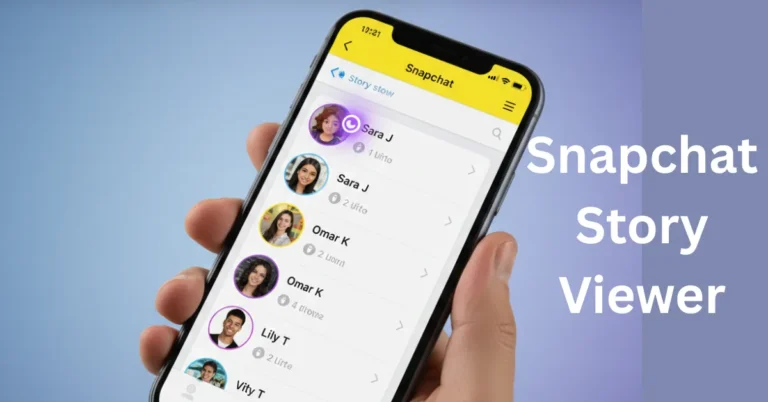
For stories, ‘opened’ means someone viewed your posted photo or video. You can see who watched your private stories by swiping up on the snap in your story reel. For public stories, you’ll see a viewer count instead of individual names unless they interact directly.
How ‘Opened’ Differs for Stories and Chats
On chats or snaps, ‘opened’ is one-on-one confirmation. On stories, it tracks multiple viewers. For group stories or large private stories, you won’t get individual ‘opened’ notifications for every friend, but you can still check the full viewer list.
🔹 Why Is My Snap Showing Opened but No Reply?
Possible Reasons for No Response
If your snap says ‘opened’ but you haven’t received a reply, it just means the person saw your message but chose not to answer—yet or at all. They might be busy, ignoring it, or planning to respond later. The status only confirms a view, not an intention to continue the conversation.
Understanding Read Receipts on Snapchat
Snapchat’s ‘opened’ status is the equivalent of a read receipt elsewhere. It lets you know when your messages get seen, which can be tricky emotionally if you’re waiting for someone to answer. For friends you interact with the most, you might notice a ‘Super BFF’ label; if you’re curious about those ranks, read about Super BFF on Snapchat.
🔹 Troubleshooting: When the Opened Status Seems Incorrect
Delays in Status Updates
Snapchat updates statuses quickly but sometimes there’s a lag, especially with weak data or WiFi connection. If ‘opened’ doesn’t appear right away, wait a bit and refresh the conversation. The app might catch up once both users have stable internet.
Bugs or Glitches You Might Encounter
Very rarely, Snapchat glitches result in a snap displaying the wrong status or not updating at all. Restarting the app or your phone often fixes minor bugs. If the problem continues, updating Snapchat to the latest version can help.
❓ Frequently Asked Questions
🔹 Conclusion
Key Takeaways on Opened Status and Snapchat Communication
‘Opened’ is Snapchat’s confirmation that your content was actually viewed, not just sent or delivered. While it doesn’t guarantee your message was read in full, it does offer clarity on your snap’s journey from send to view. Now you know exactly what those status icons mean each time you chat, snap, or share a story.
Knowing what ‘opened’ actually means on Snapchat saves confusion and helps keep your conversations smoother. Next time you spot that status, you’ll know exactly what your messages and stories are telling you.